
Three apps. One safety system.
Parental Control is for parents. Browser protects the web. Guard keeps the phone or tablet aligned with the same rules. Below are the actual product screens — not stock illustrations.
 For parents & guardians
SafeAnywhere Parental Control
The parent command center
Parental Control is where you see the full picture: each child’s activity, risk signals, and household rules in one calm dashboard. Approve requests, tune policies, and respond to alerts without jumping between tools.
- Family overview, per-child drill-down, weekly trends, and AI-powered Digital Health Score
- Policies, schedules, app limits, and web rules in sync with kids’ devices in real time
- Approvals, alerts, location & geofences, panic flow, and downloadable insights
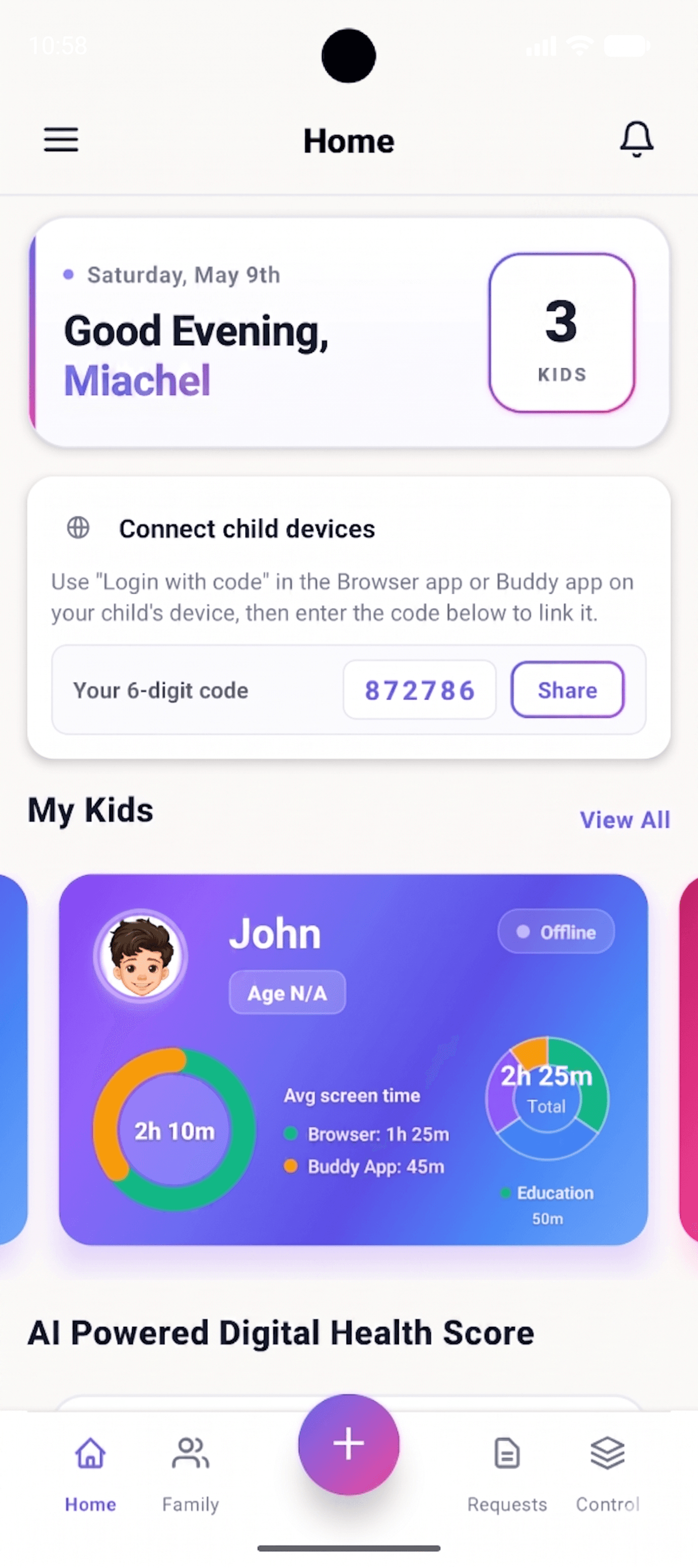
Parental Control screens
Real product UI captured from the latest build.
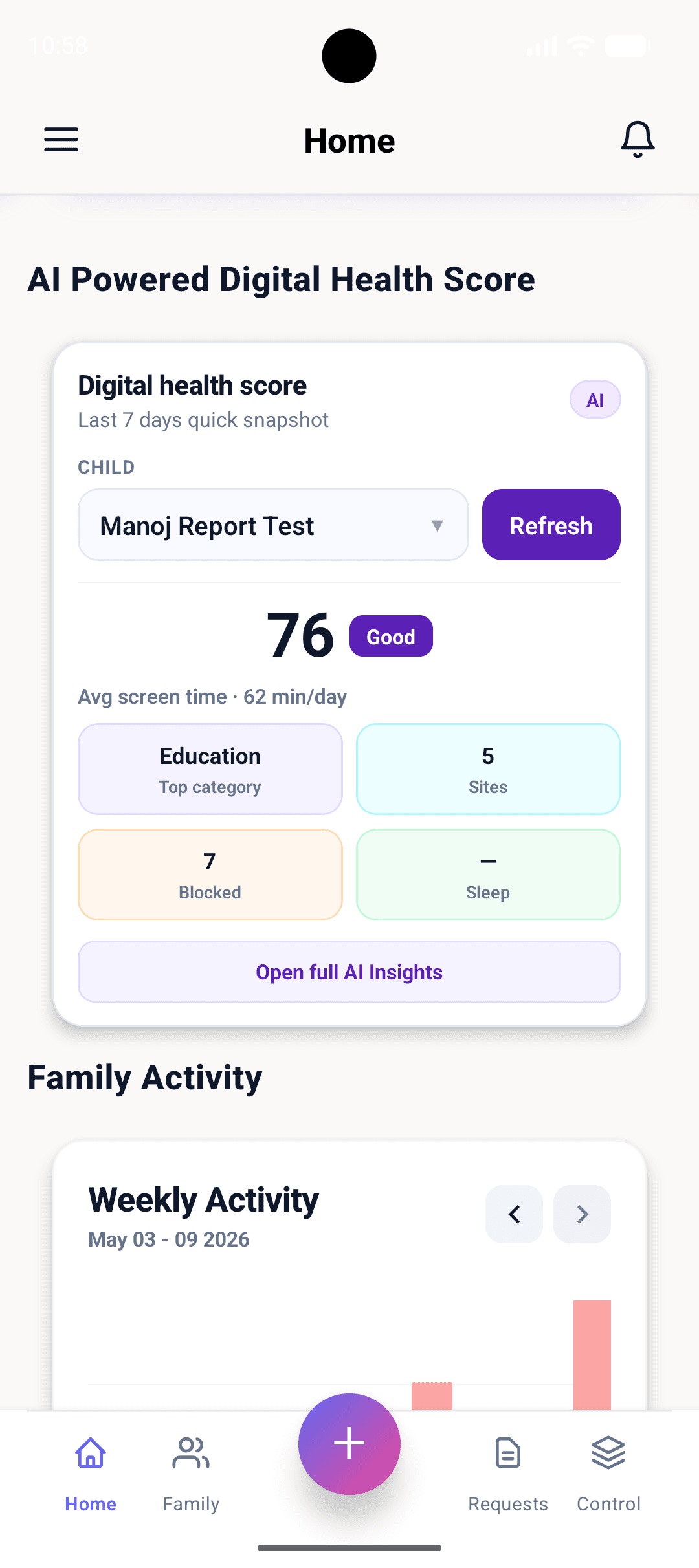
An AI-curated snapshot of your child’s last 7 days — categories, sites, and balance.
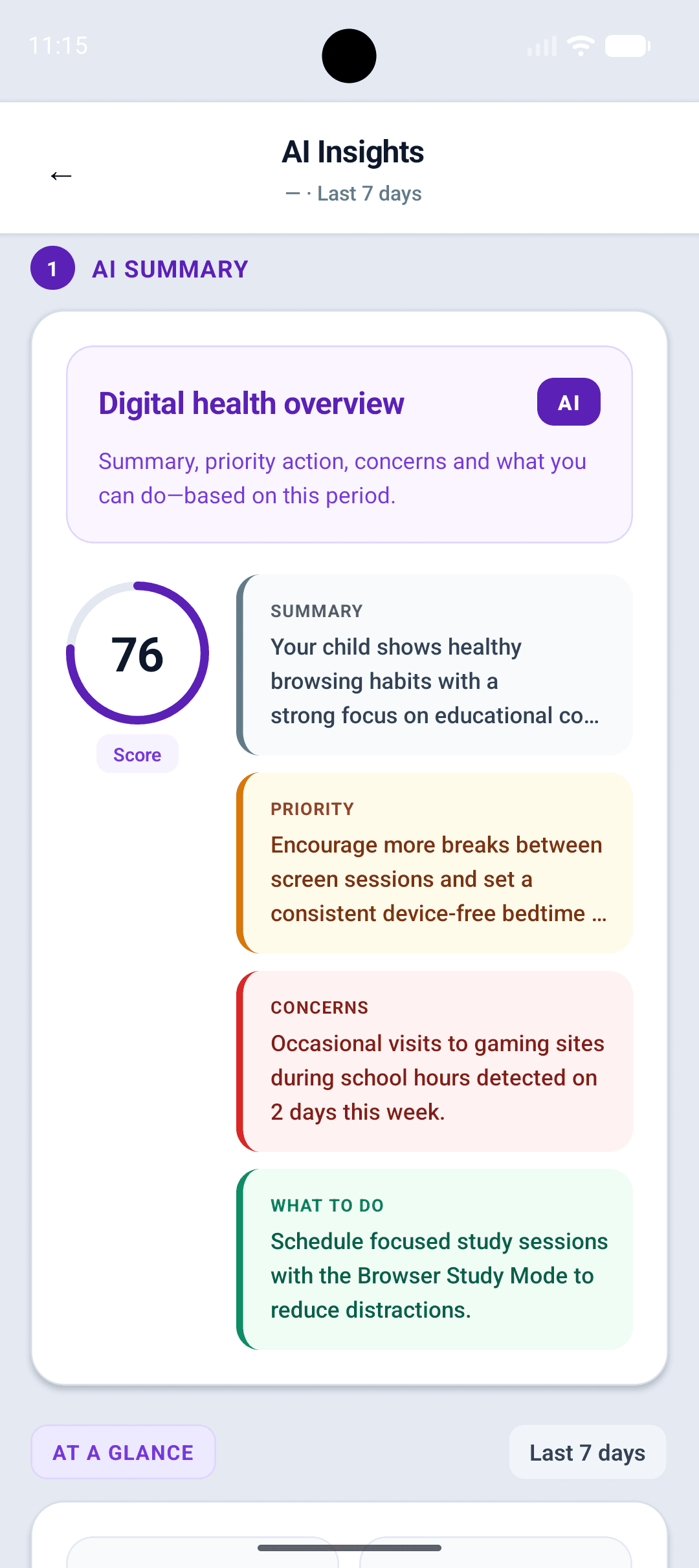
Plain-English summary, priority action, concerns, and what to do next.
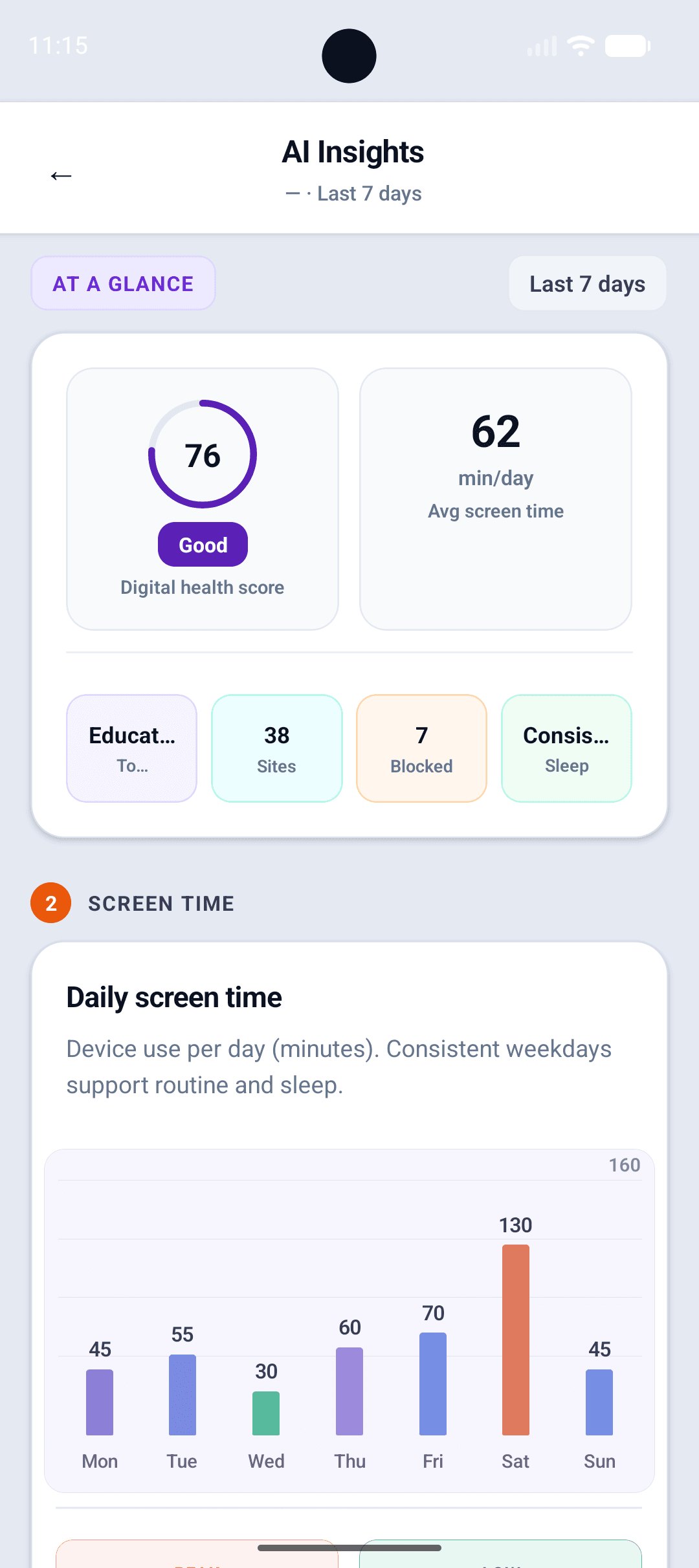
See the score, daily screen time, sites, and blocked attempts in seconds.
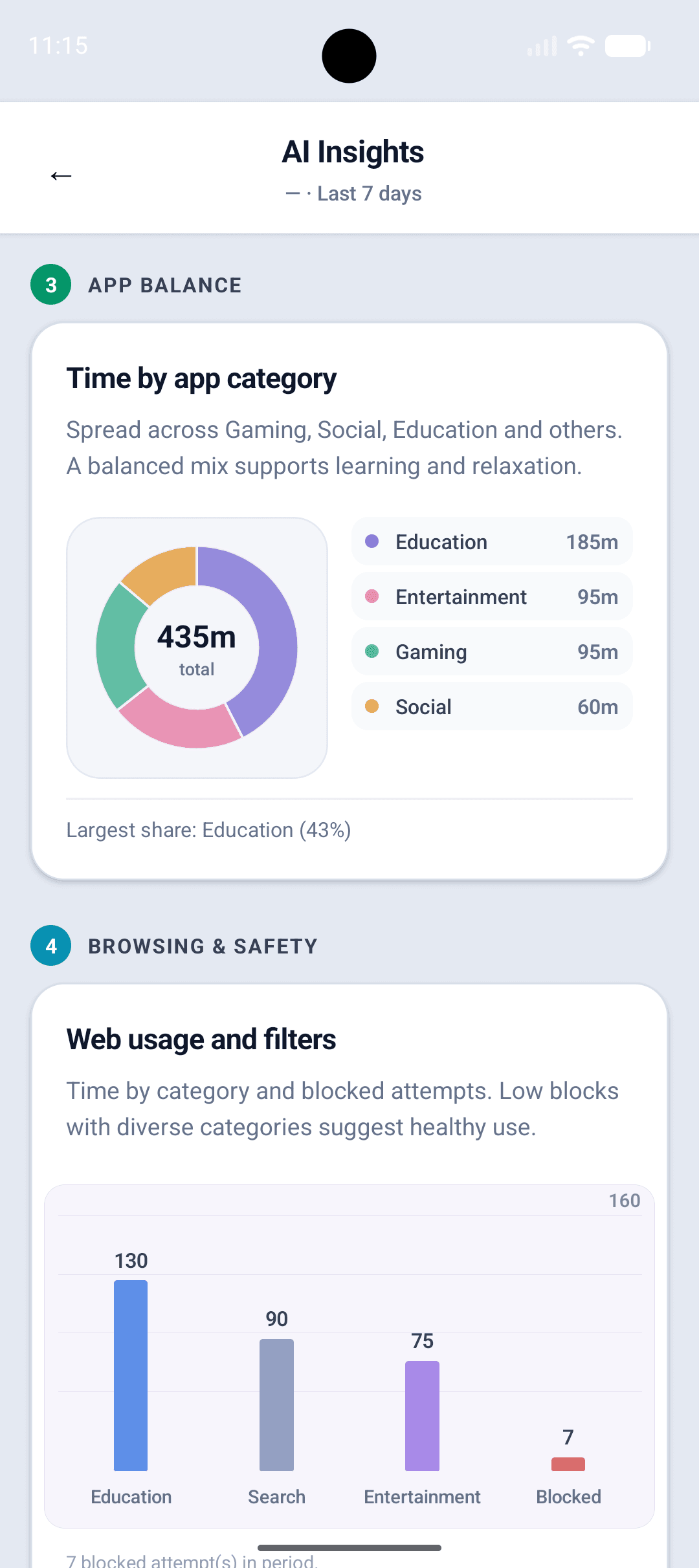
Time by app category and web usage — instantly spot imbalance or risk.
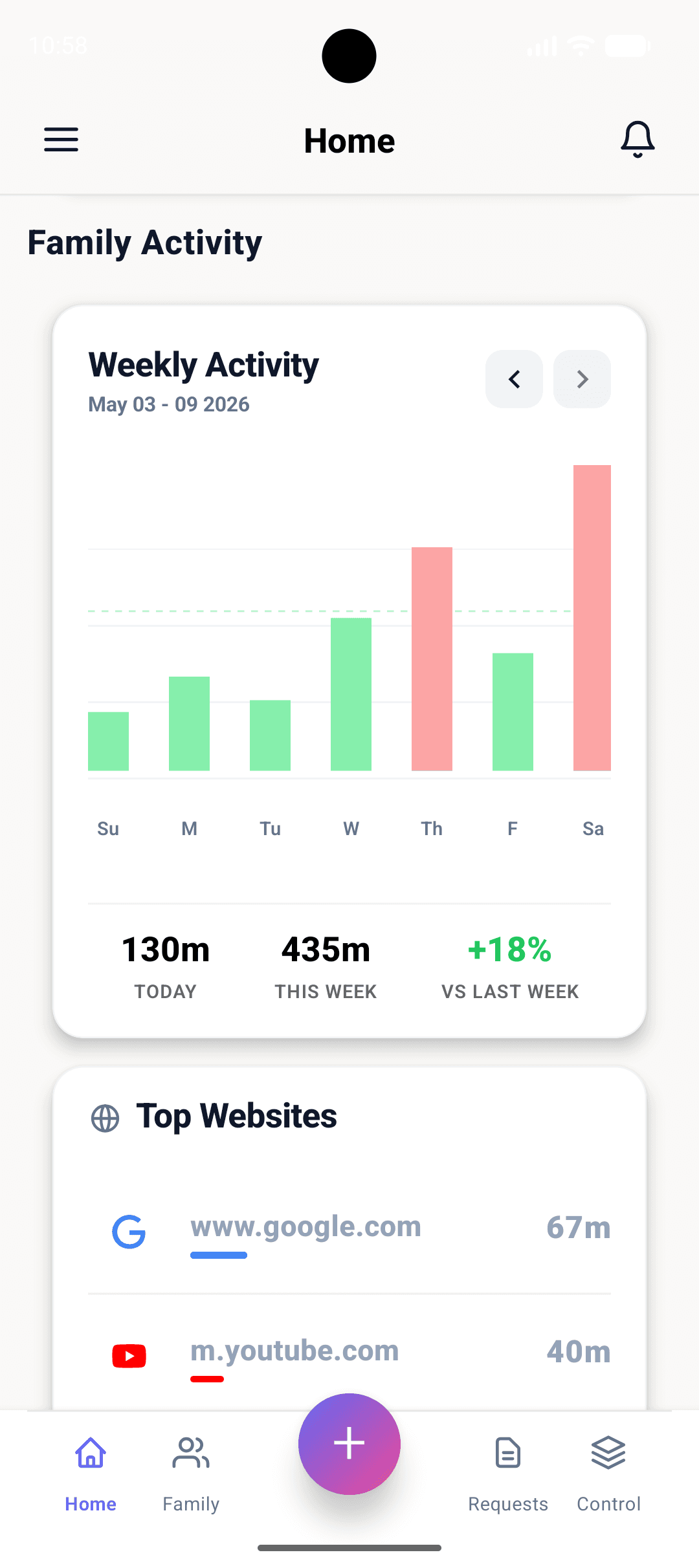
Trend the whole family week-on-week, with top sites surfaced beneath.
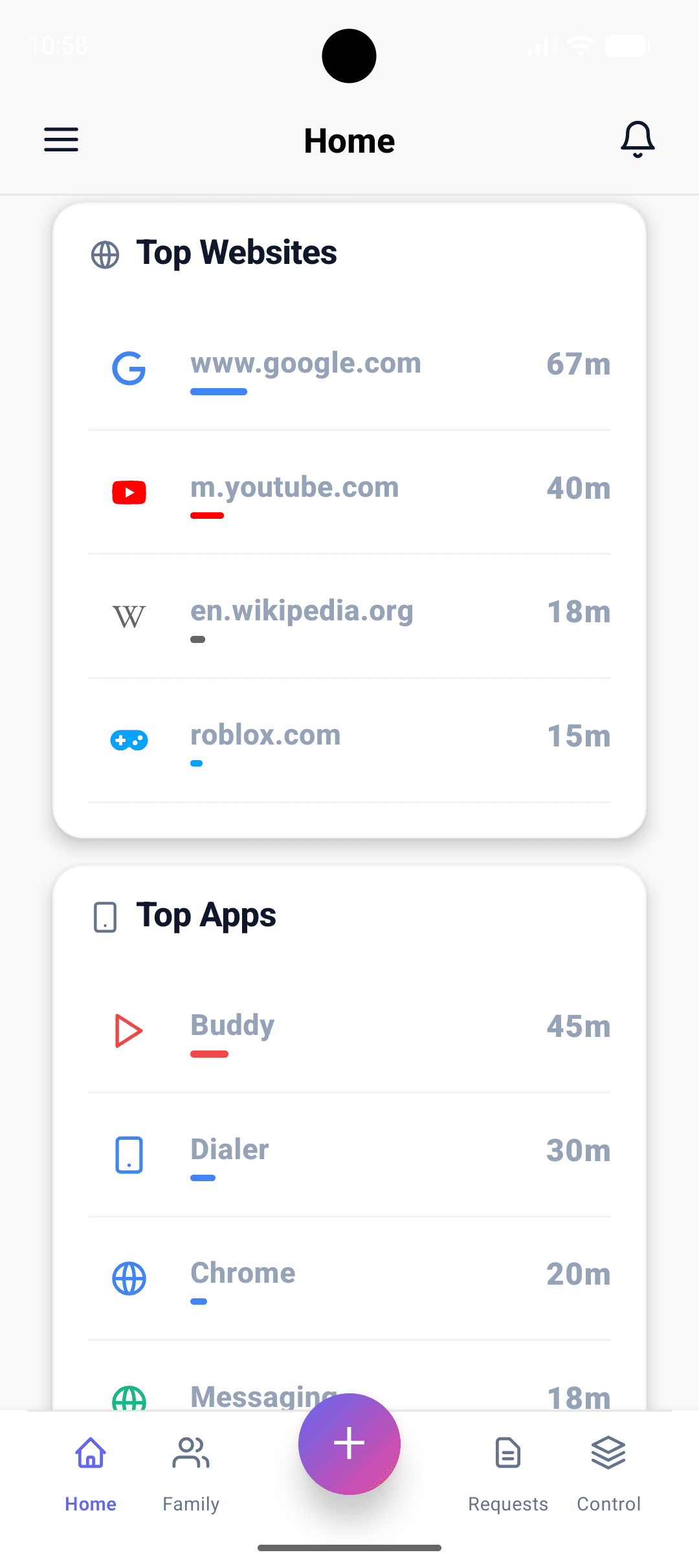
The exact apps and sites that ate the most time, ranked by minutes.
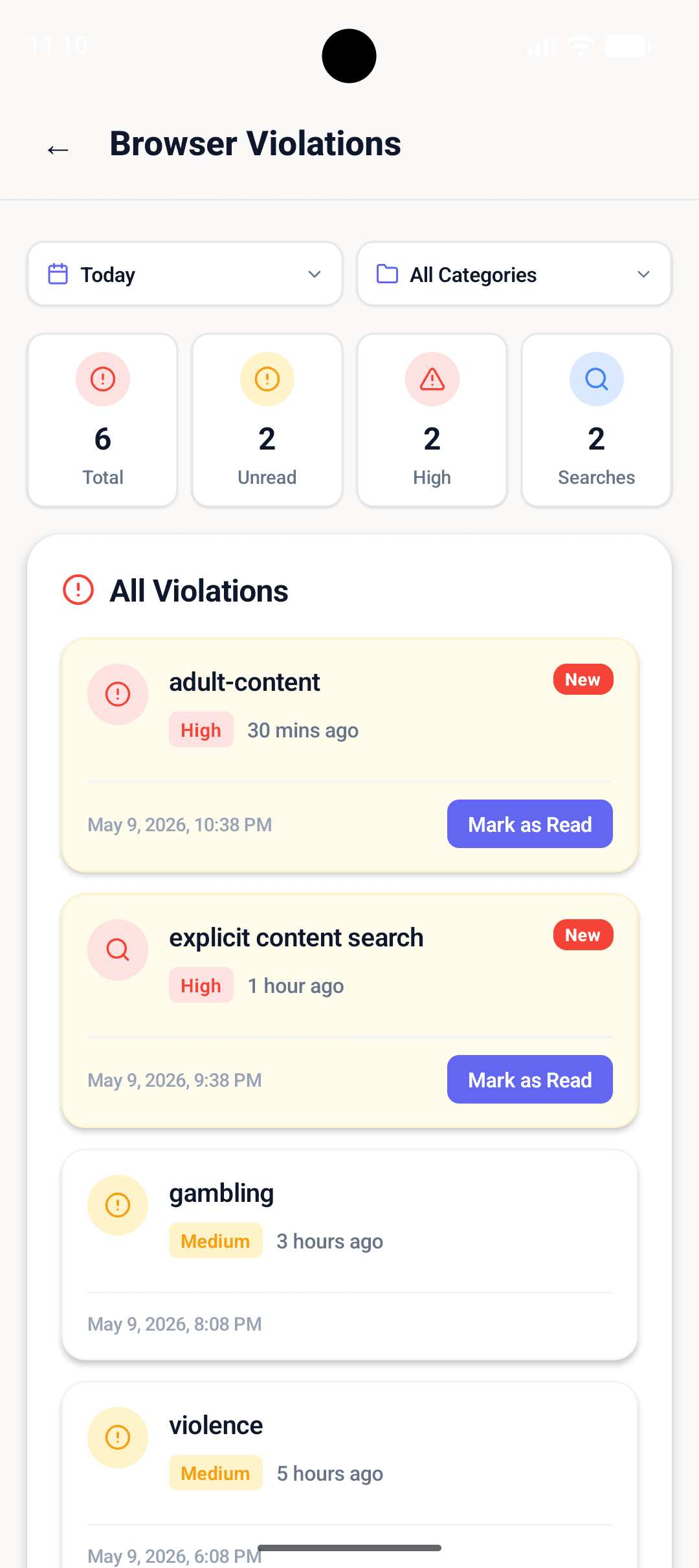
Real-time alerts for risky searches and content — sorted, severity-tagged, actionable.
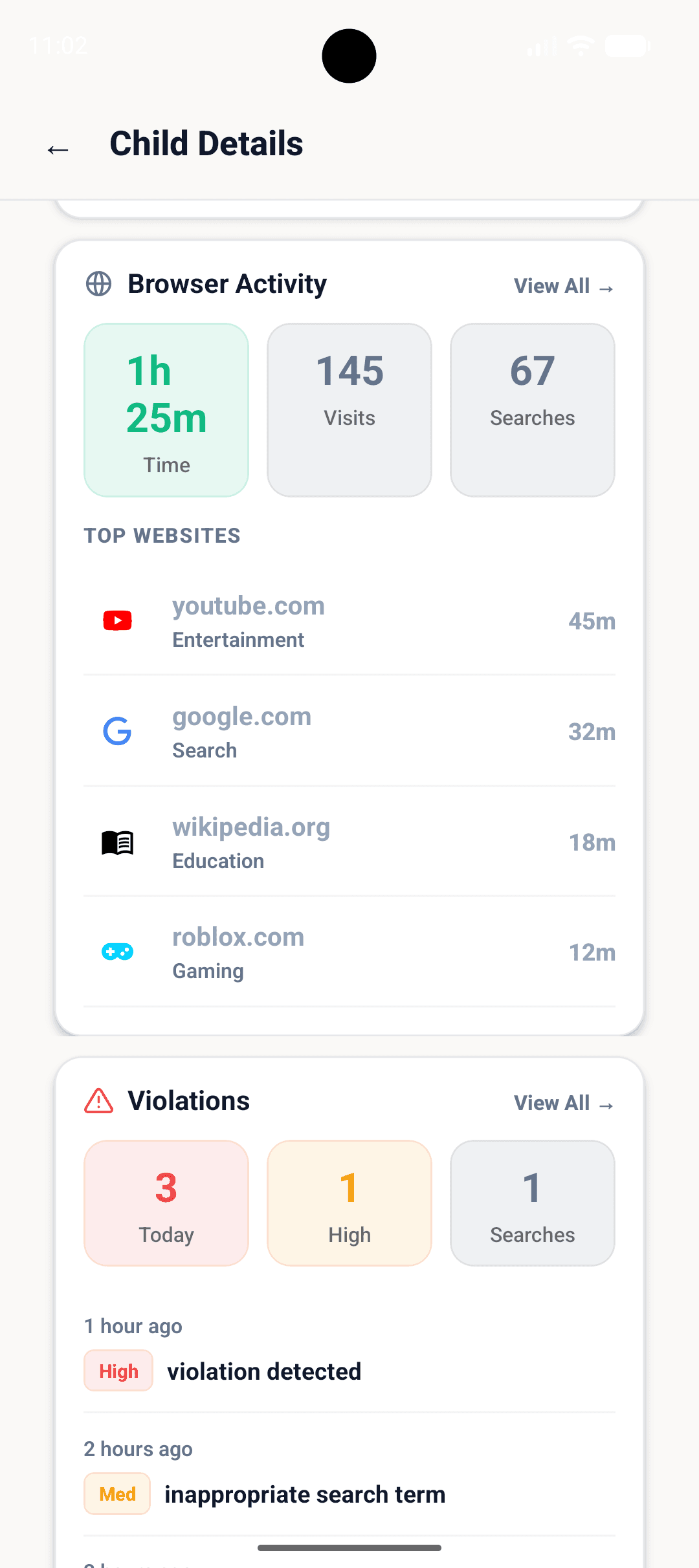
Drill into a specific child to see browser activity and recent violations.
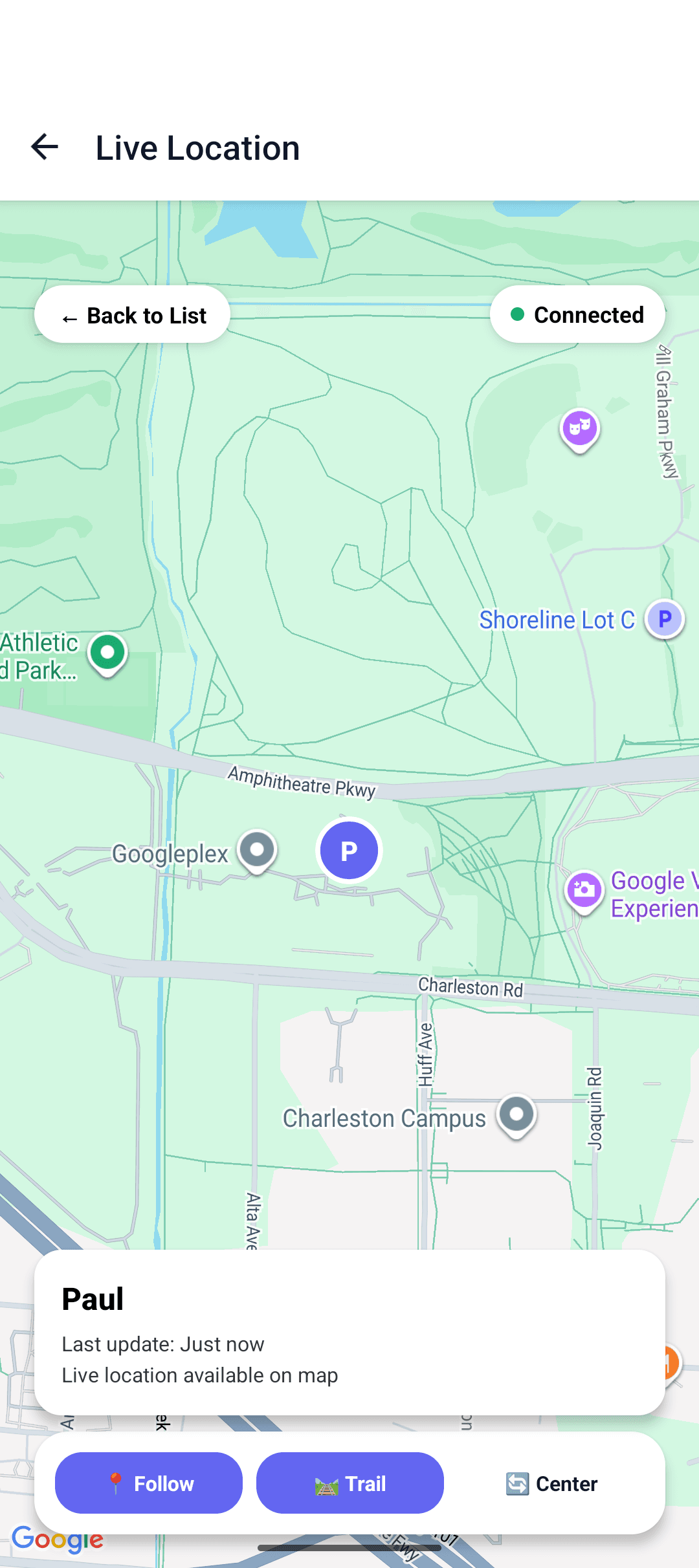
Know exactly where your child is, with follow, trail, and recenter controls.
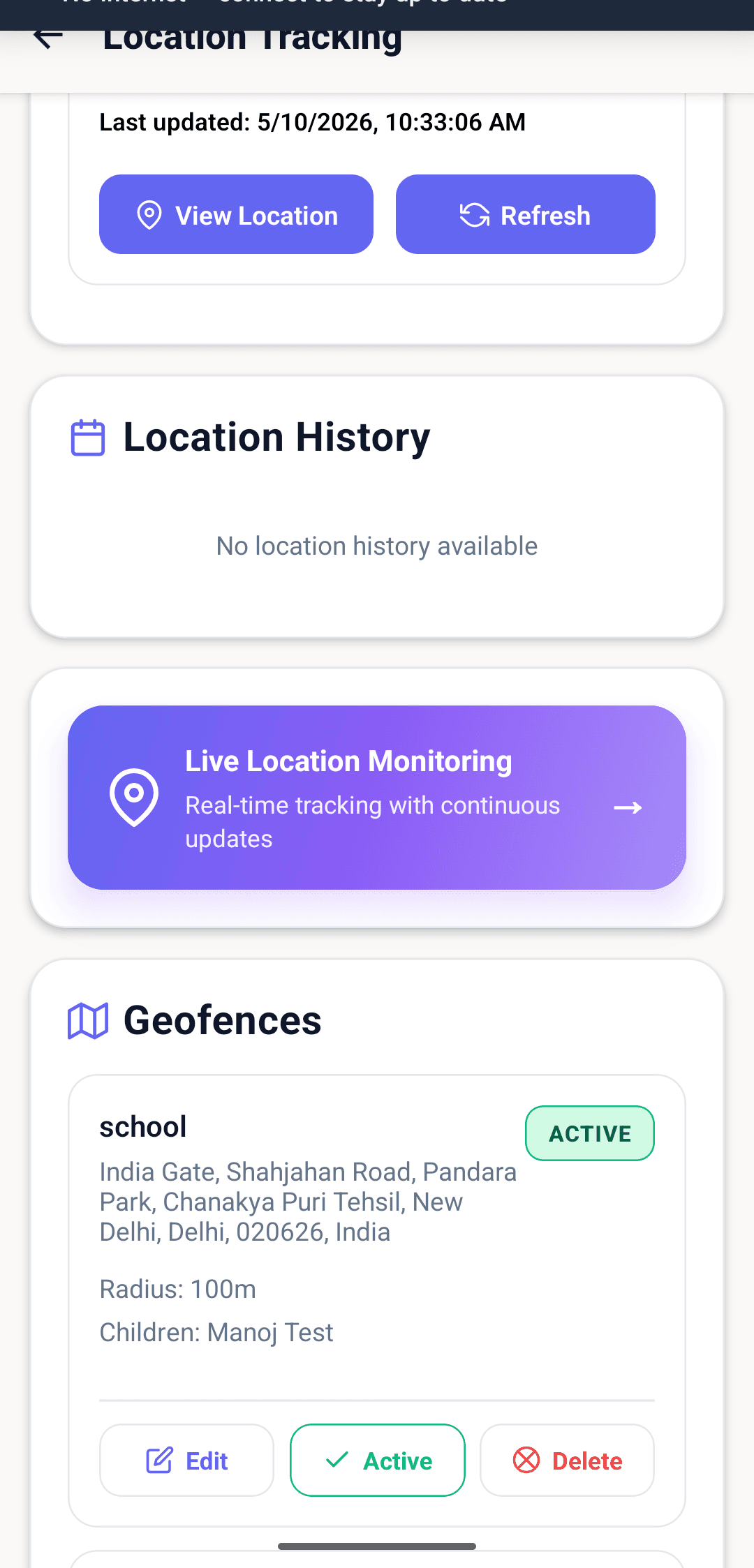
Define safe zones (home, school) and get alerts on entry and exit.
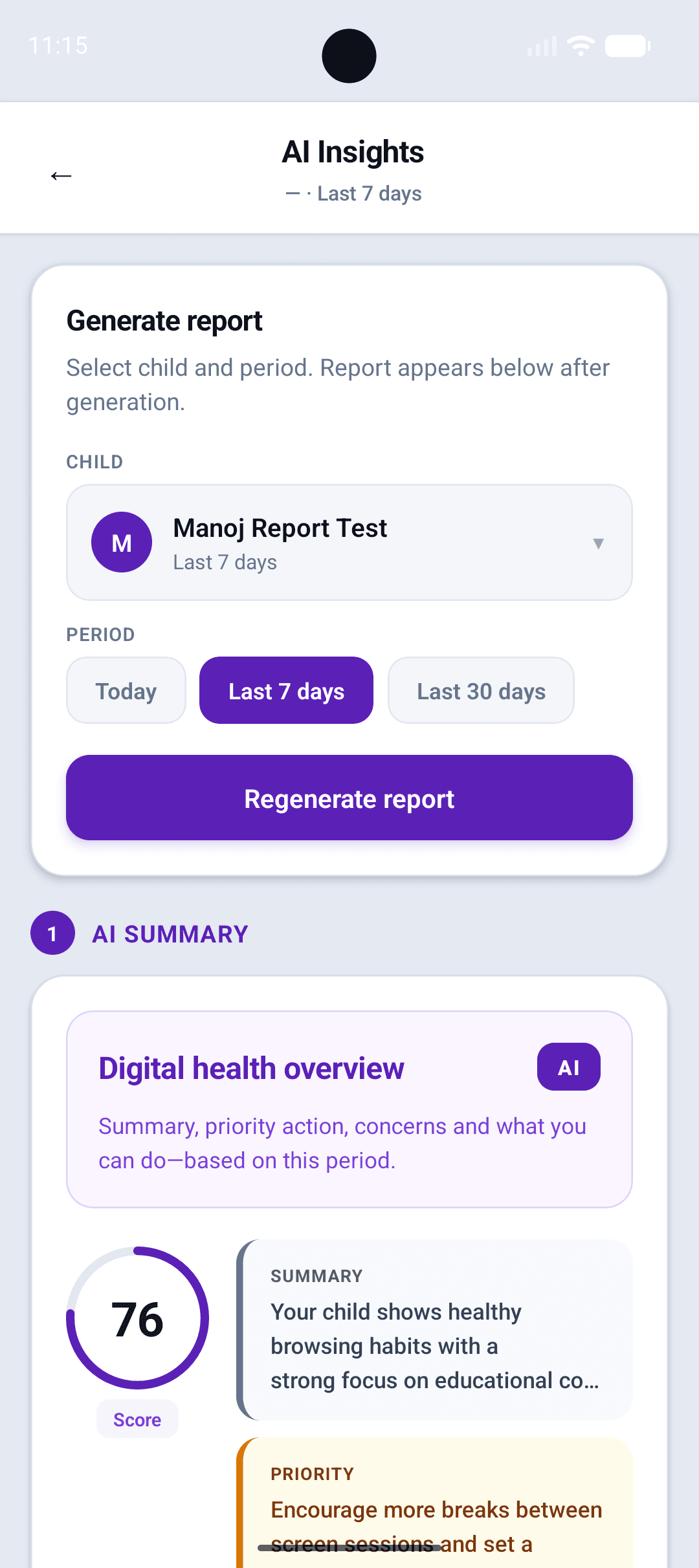
Generate a Digital Safety Report for any child for today, week, or month.
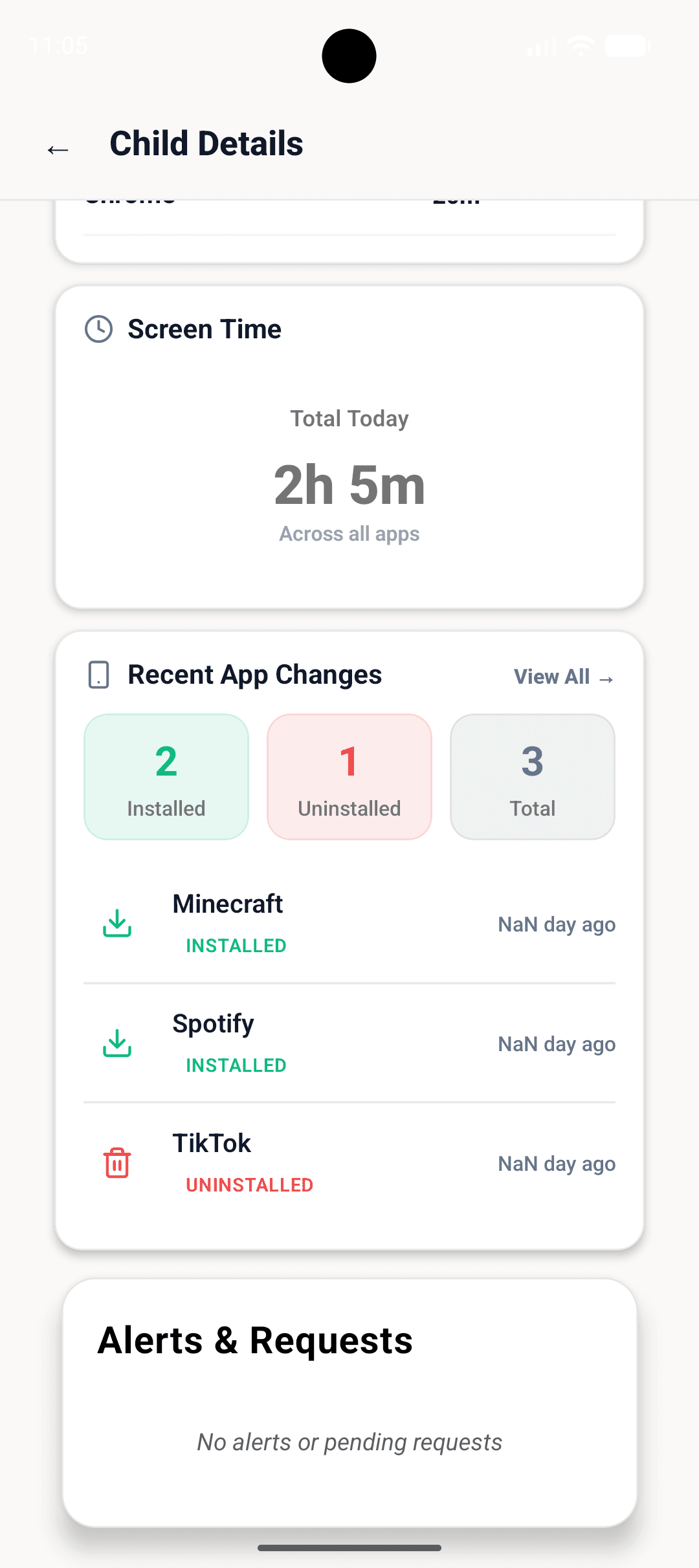
See exactly what was installed or removed on each child’s device.
 For children on shared or personal devices
SafeAnywhere Browser
The AI-safe browser for kids
Browser replaces the regular browser with one built for child safety. Harmful pages and unsafe terms are blocked or redacted before they render, SafeSearch-style protections apply by default, and time rules from Parental Control are enforced automatically.
- Kid-friendly homepage with curated categories and search built for them
- AI-assisted filtering, content redaction, and SafeSearch enforcement on major engines
- Browsing history, search activity, and violations visible to parents in Parental Control
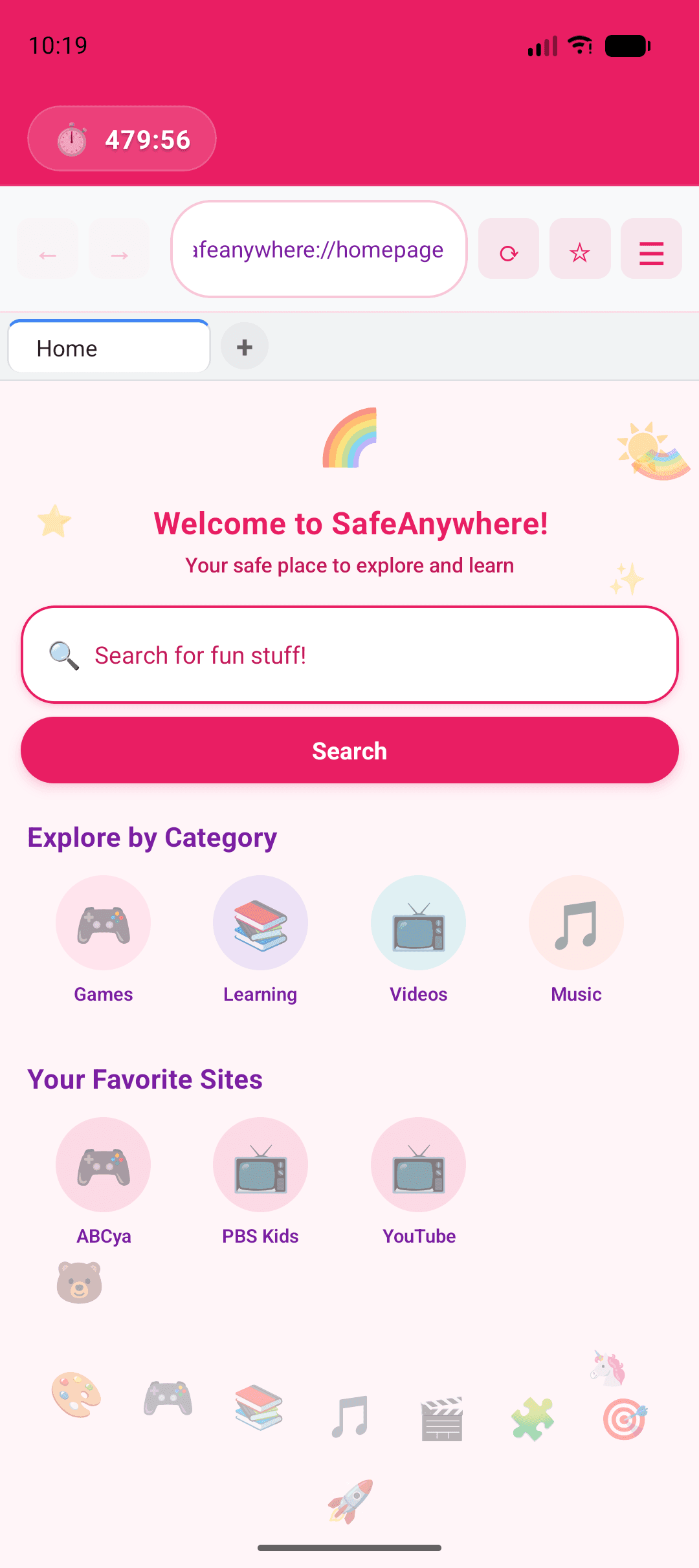
Browser screens
Real product UI captured from the latest build.
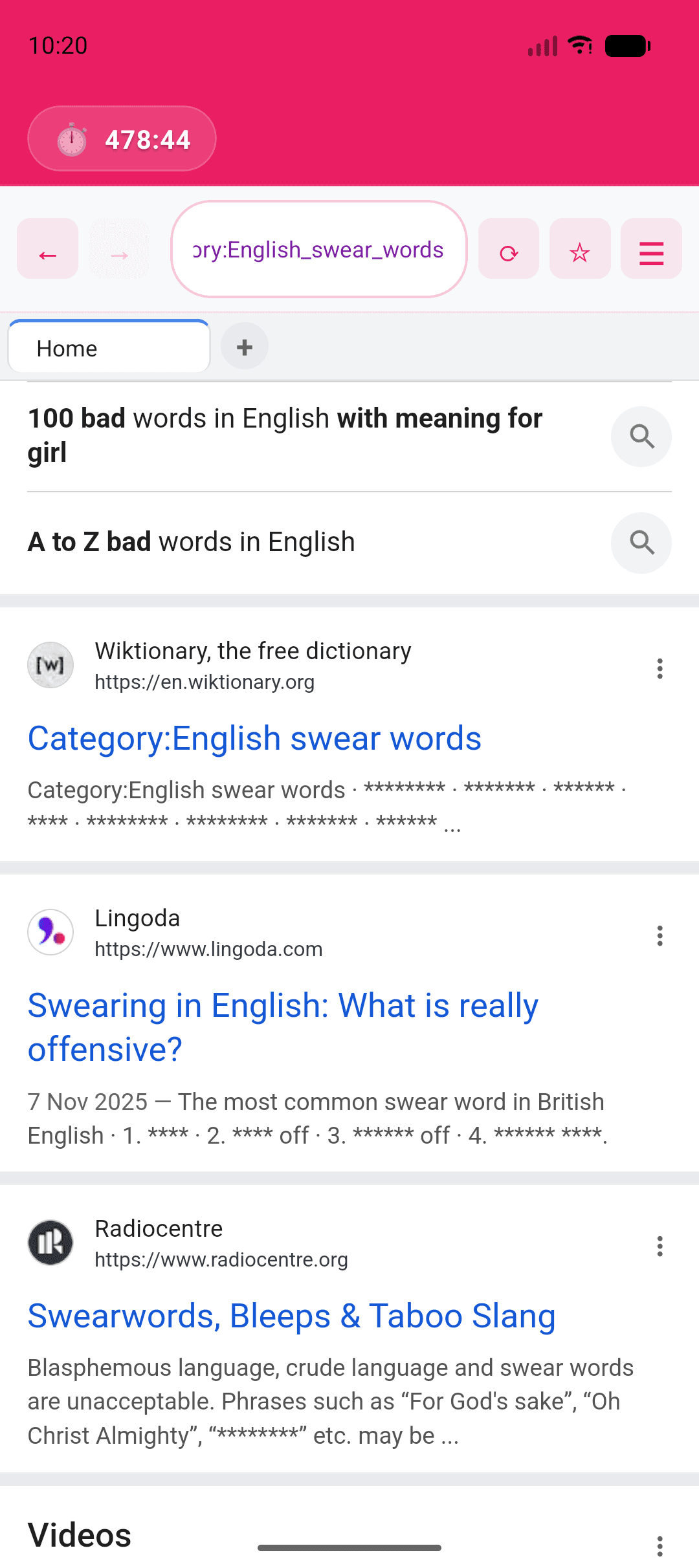
Unsafe terms and snippets are masked in real time — even on open results.
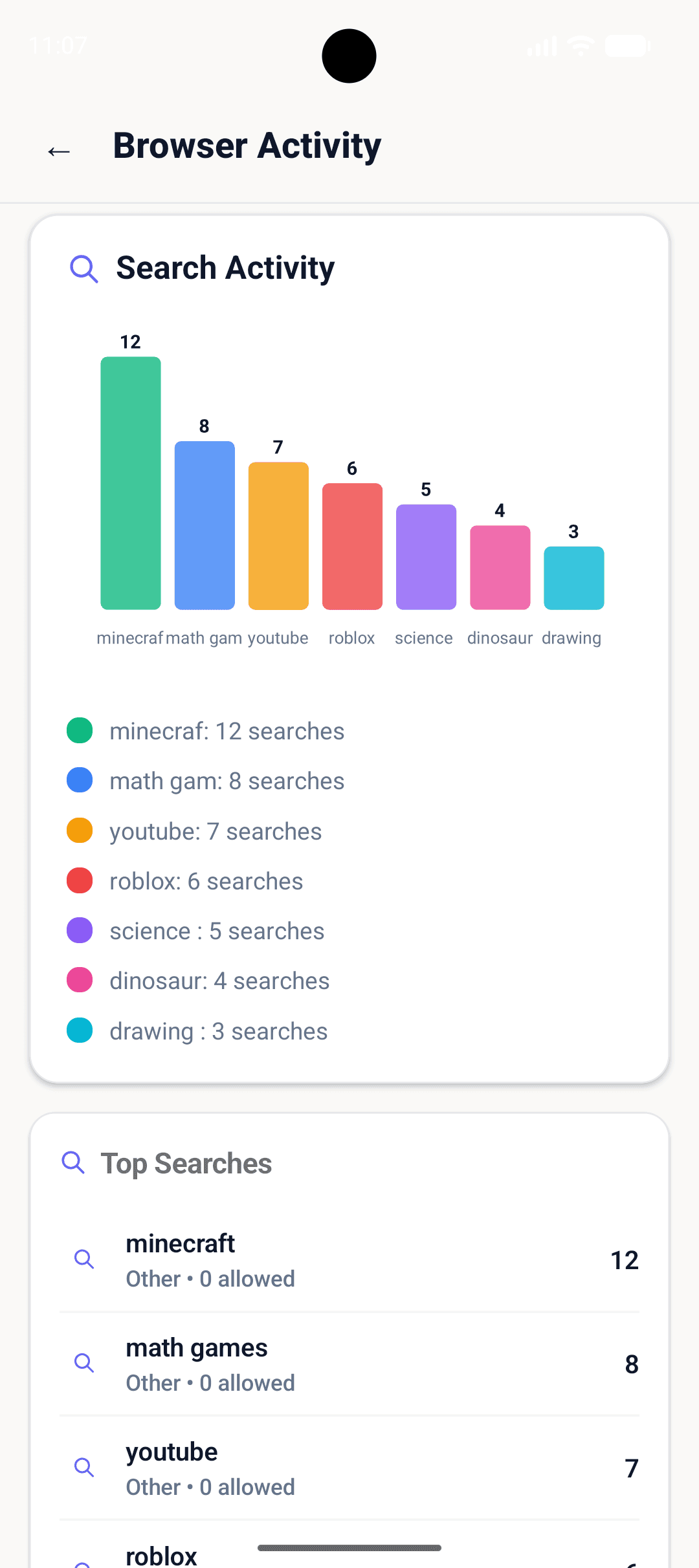
Every search captured and ranked, so parents see what kids are curious about.
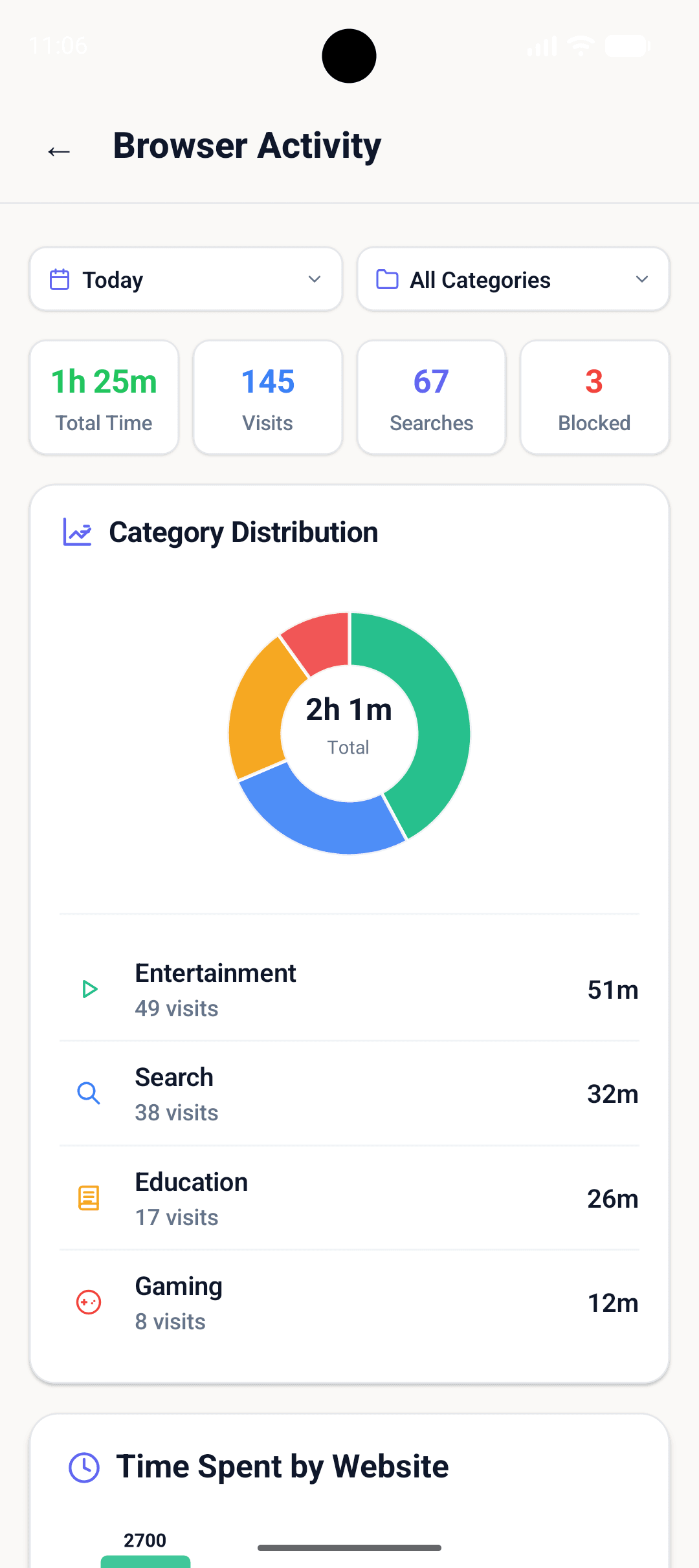
Total time, visits, searches, and blocked attempts — by category.
.png&w=3840&q=75)
Granular minutes per site, so trends and outliers stand out instantly.
.png&w=3840&q=75)
What got visited, what got searched — labelled by category for context.
 For kids’ phones & tablets
SafeAnywhere Guard
The child companion on mobile
Guard lives on your child’s device: it respects screen-time and app rules, surfaces gentle prompts, and keeps location and emergency paths available when you enable them. It pairs with Parental Control so kids see a simple experience while you keep oversight.
- Screen time, bedtime, and rule sync from Parental Control
- App and category visibility, with supervised requests when something is off-limits
- Location sharing, geofence awareness, and a one-tap panic flow with quick contacts
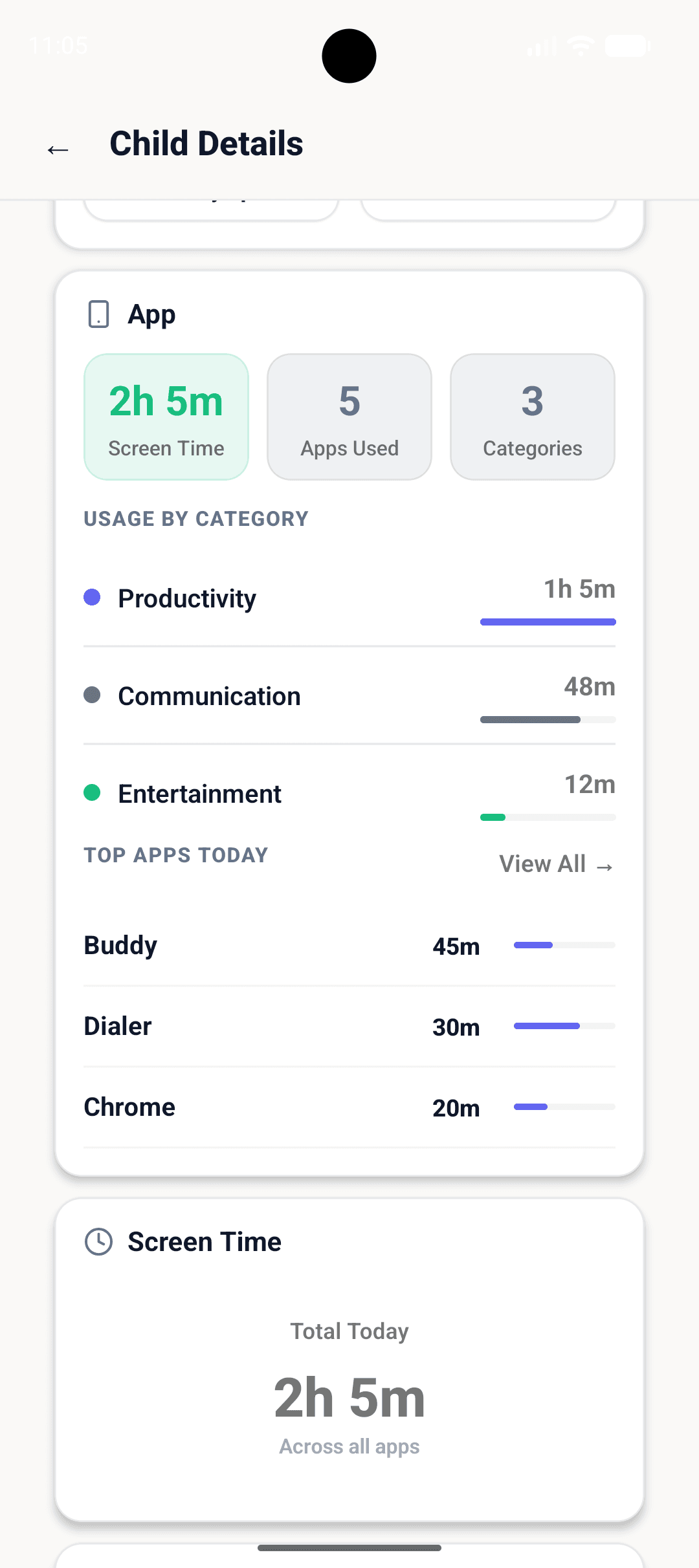
Guard screens
Real product UI captured from the latest build.
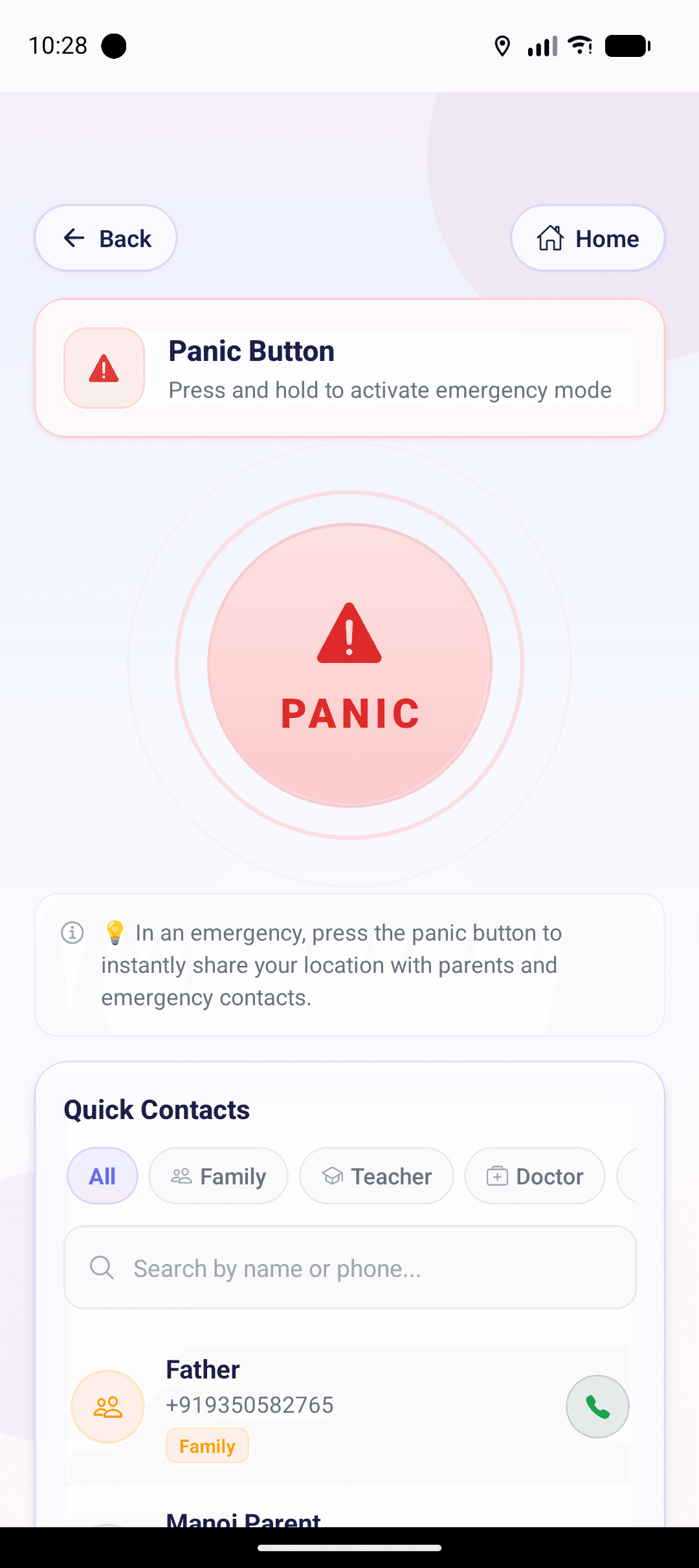
Press and hold to broadcast location and ring trusted contacts in seconds.
Installs and removals are recorded so parents see device changes immediately.
Guard keeps location available so Parental Control can map the child in real time.